
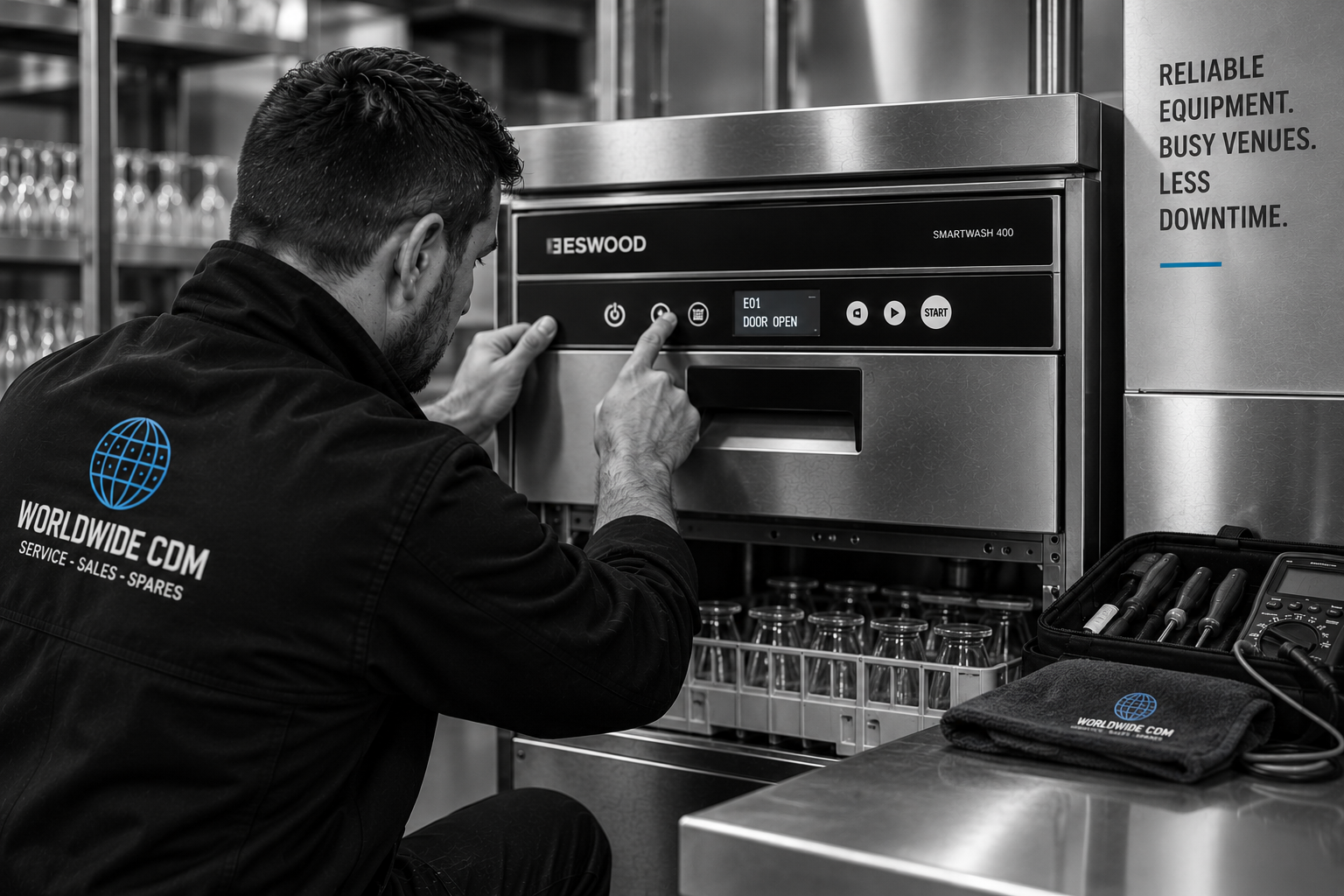
Commercial Glasswasher Control Panel Problems?
Buttons Not Responding? Blank Display? Glasswasher Won't Start?
You press START.
Nothing happens.
The display suddenly goes blank.
One button works. Another doesn't.
An error code keeps appearing.
Or the controls appear completely normal — but the glasswasher refuses to begin its cycle.
It can look like an obvious control panel failure.
But the control panel isn't always the problem.
The machine may actually be waiting for another operating condition, receiving incorrect information from a sensor, experiencing a power-supply problem or responding to a fault elsewhere in the glasswasher.
Worldwide CDM diagnoses commercial glasswasher control panel, electrical and electronic faults across Sydney.
With more than 30 years of commercial catering equipment experience, we investigate why the controls aren't behaving normally before recommending expensive electronic components.
Find the Cause. Fix What Matters.
Signs of a Commercial Glasswasher Control Panel Problem
Control problems can appear differently depending on the glasswasher's design.
You may notice:
Control panel completely blank
Display not illuminating
Power light on but controls not responding
START button not working
Cycle-selection button not responding
Touch controls behaving intermittently
Some buttons working while others don't
Buttons requiring repeated presses
Display flickering
Display repeatedly resetting
Incorrect information appearing
Error codes
Machine powers on but won't start
Glasswasher stopping mid-cycle
Controls freezing during operation
Cycle cannot be selected
Machine unexpectedly switching off
Controls working intermittently
Glasswasher behaving differently after warming up
These symptoms can involve the control panel.
But they can also originate elsewhere.
The Control Panel Shows the Symptom. It Doesn't Always Cause It.
How Does a Commercial Glasswasher Control System Work?
Commercial glasswashers vary considerably between brands and models.
Depending on the equipment, controls may include:
Push buttons
Mechanical switches
Membrane keypads
Digital displays
Electronic user interfaces
Electronic control boards
Temperature displays
Indicator lights
Programmable cycle controls
Touch-sensitive interfaces
Behind those controls, the machine may receive information from other systems before deciding what happens next.
Depending on the glasswasher, this can include information relating to:
Door position
Water level
Water temperature
Rinse temperature
Filling
Draining
Heating
Pumps
Safety systems
Sensors
This is why a glasswasher that ignores the START button doesn't automatically have a faulty START button.
The Machine May Be Waiting for Something Else.
Commercial Glasswasher Control Panel Completely Blank
A completely blank panel can immediately make it look as though the display has failed.
But before replacing the display or electronic controller, the electrical supply to the control system needs to be considered.
Depending on the machine, possible areas for investigation can include:
Incoming electrical supply
Isolator
Internal electrical protection
Fuses where applicable
Power-supply components
Wiring
Connections
Power switch
Electronic controller
User interface
Display
Other machine-specific components
The important diagnostic question is:
Is the Panel Faulty — or Is Power Not Reaching It?
Replacing the display won't solve a power-supply problem.
Glasswasher Has Power but the Display Is Blank
This distinction can be particularly useful.
Perhaps another indicator illuminates.
Maybe you can hear the machine doing something.
Or another part of the glasswasher clearly has power.
Yet the display remains blank.
That may narrow the investigation towards:
Display
User interface
Electronic control
Internal power supply
Wiring
Connections
Communication between electronic components
But proper electrical testing is still required.
"The Machine Has Power" Doesn't Mean Every Control Circuit Has Power.
Commercial Glasswasher Buttons Not Responding
One of the most common control complaints is:
"The buttons don't work."
Staff may find:
START doesn't respond
Cycle selection doesn't work
Only one button has failed
Several buttons don't work
A button works intermittently
Multiple presses are required
Controls become less responsive during service
Depending on the control design, possible causes can include:
Physical switch
Membrane keypad
User interface
Electronic controller
Wiring
Connections
Another operating condition preventing the command from being executed
This last point is particularly important.
The button may actually be working.
The machine simply may not be permitted to perform the requested action.
Start Button Works but Glasswasher Won't Start
This is where correct diagnosis can save unnecessary parts replacement.
Imagine:
You press START.
The control panel responds.
But the wash cycle doesn't begin.
It feels like a control problem.
But the glasswasher may be waiting for confirmation that another operating condition has been satisfied.
Depending on the machine, this may involve:
Door position
Water level
Filling
Temperature
Safety circuit
Sensor input
Pump system
Control sequence
Other machine-specific conditions
The control system may actually be functioning correctly by preventing operation when the required conditions haven't been met.
A Glasswasher Refusing to Start Can Sometimes Be Protecting Itself.
Commercial Glasswasher Door Switch and Control Problems
Many commercial glasswashers incorporate door-position or safety systems.
Depending on the equipment, the machine may need confirmation that the door is correctly closed before beginning certain operations.
A problem involving:
Door switch
Microswitch
Door alignment
Switch actuator
Wiring
Connection
Electronic input
may therefore create what looks like a control-panel fault.
The display works.
The buttons work.
But nothing happens when START is pressed.
The Panel May Be Waiting for the Door Signal.
Door not closing or machine refusing to start?
Troubleshoot Commercial Glasswasher Door Problems →
Commercial Glasswasher Display Flickering
A flickering display shouldn't automatically be diagnosed as a failed screen.
Possible areas requiring investigation may include:
Electrical supply
Internal power supply
Wiring
Loose connections
User interface
Electronic controller
Display
Other electrical components
Pay particular attention to when the flickering happens.
Does it occur:
Immediately after switching on?
When the wash pump starts?
During heating?
During draining?
After repeated cycles?
Randomly?
The timing can help identify whether another electrical load or operating condition is related.
When the Problem Happens Is Part of the Diagnosis.
Commercial Glasswasher Control Panel Keeps Resetting
The machine starts normally.
Then suddenly:
The display goes blank.
It comes back on.
The program resets.
Or the glasswasher returns to its start-up screen.
Repeated resets can indicate an electrical or electronic problem requiring investigation.
Possible areas can include:
Power supply
Wiring
Connections
Electronic controls
User interface
Other machine components affecting the electrical system
Repeatedly switching the machine off and back on may temporarily restore operation.
But:
A Restart Isn't a Repair.
If the problem keeps returning, find out why.
Commercial Glasswasher Controls Work Intermittently
Intermittent electrical faults can be particularly frustrating.
The glasswasher may work perfectly in the morning.
Then stop during lunch service.
Someone switches it off.
It works again.
The technician arrives later — and everything appears normal.
That doesn't mean there isn't a fault.
Intermittent problems may involve:
Electrical connections
Wiring
Electronic components
User interface
Switches
Sensors
Temperature-related component behaviour
Moisture
Other machine-specific conditions
If possible, record the behaviour when it happens.
A short video can be extremely useful.
Glasswasher Control Panel Stops Working When Machine Gets Hot
This is useful diagnostic information.
If the controls operate normally from cold but begin behaving unpredictably after the glasswasher has been operating for some time, tell the technician.
Possible areas for investigation may include:
Electronic components
Connections
Wiring
Power-supply components
Temperature-related faults
Moisture or steam exposure
Other machine-specific conditions
Don't assume the heat itself is necessarily the cause.
But the fact that the problem appears only after the machine has been operating is an important clue.
Steam, Moisture and Commercial Glasswasher Controls
Commercial glasswashers operate in a hot, wet environment.
Electronic controls, connections and electrical components are designed and installed with that environment in mind.
However, abnormal water or steam ingress can potentially contribute to electrical problems.
If control problems begin alongside:
Water leakage
Excessive steam
Damaged seals
Water around the panel
Condensation where it wasn't previously present
mention both symptoms.
Don't Diagnose the Electronics Without Looking for the Water.
If water is reaching electrical components, stop using the machine where there is an electrical safety concern and arrange appropriate professional assessment.
Machine leaking too?
Troubleshoot Commercial Glasswasher Leaking Water →
Commercial Glasswasher Touch Controls Not Working
Some newer commercial glasswashers use touch-sensitive controls rather than conventional mechanical buttons.
Possible symptoms can include:
No response to touch
Intermittent response
Only part of the interface responding
Incorrect selections
Display working but touch controls failing
Interface freezing
Depending on the machine, investigation may involve:
User interface
Touch panel
Electronic controller
Connections
Power supply
Environmental conditions
Other control-system components
Don't assume the complete electronic board requires replacement simply because the interface doesn't respond.
One Glasswasher Button Not Working
If the entire control panel operates normally except for one button, that is valuable diagnostic information.
For example:
Power works.
Cycle selection works.
Display works.
But START doesn't.
The fault may be more localised than a completely dead control system.
Depending on the design, investigation may involve:
Individual switch
Membrane keypad
User interface
Connection
Control input
Another condition preventing that particular function
Tell us exactly which controls work and which don't.
Commercial Glasswasher Error Code on Control Panel
An error code does not automatically mean the control panel or electronic board has failed.
In many modern commercial glasswashers, the control system monitors other parts of the machine.
When something operates outside expected conditions, the controller may display a code.
Depending on the equipment, fault codes can relate to:
Filling
Draining
Heating
Temperature
Water level
Pumps
Door position
Sensors
Safety systems
Electronic communication
Other machine functions
In other words:
The Control Panel May Be Reporting the Fault — Not Causing It.
This distinction is critical.
Error codes also aren't universal. The same-looking code can mean completely different things on different brands and models, so the manufacturer and exact model need to be identified before interpreting it. This is the same diagnostic principle Worldwide CDM already uses in its error-code resources.
Error code appearing?
Troubleshoot Commercial Glasswasher Error Codes →
Take a Photo Before Resetting the Machine
This simple step can make diagnosis much easier.
If an error appears:
Take a photo.
Capture:
Complete error code
Display
Indicator lights
Any unusual symbols
Then note what the machine was doing immediately beforehand.
Was it:
Filling?
Heating?
Washing?
Rinsing?
Draining?
Don't rely on remembering the code later.
The Information on the Screen Can Be an Important Diagnostic Clue.
Why Does the Error Code Disappear When I Restart the Glasswasher?
Some faults may clear temporarily when a machine is restarted.
That doesn't necessarily mean the problem has been fixed.
If the underlying condition returns, the fault may reappear.
For example, the control system may again detect a problem during:
Filling
Heating
Draining
Temperature monitoring
Water-level detection
Another operating stage
If the same error repeatedly returns:
Stop Resetting the Symptom and Find the Cause.
Commercial Glasswasher Electronic Control Board Problems
The electronic controller can coordinate many functions within a modern glasswasher.
Depending on the model, it may be involved in:
Filling
Heating
Washing
Rinsing
Draining
Temperature monitoring
Water-level monitoring
Cycle timing
Safety logic
Error detection
User-interface operation
Electronic control boards can fail.
But this is where diagnosis becomes particularly important.
A machine displaying abnormal behaviour does not automatically need a new control board.
Similar symptoms can be produced by:
Sensors
Switches
Wiring
Connections
Power-supply problems
Relays
Contactors
Pumps
Water-level systems
Other controlled components
Don't Replace an Expensive Board Based on an Assumption.
Control Board Fault or Sensor Fault?
Modern glasswashers rely on information from sensors and switches.
Consider a simplified example.
The controller is waiting for the machine to reach the correct water level.
But the water-level sensor isn't providing the expected information.
The controller prevents the next stage from beginning.
From the operator's perspective:
"The controls have frozen."
But the controller may actually be responding correctly to incorrect or missing information.
The same principle can apply to:
Temperature sensing
Door position
Water level
Filling
Other monitored systems
The Controller Can Only Act on the Information It Receives.
Control Panel Problem or Filling Problem?
A glasswasher may refuse to begin washing because it hasn't achieved the expected water level.
Possible filling problems can involve:
Water supply
Inlet valve
Inlet filter
Water pressure
Water-level sensor
Pressure system
Float system
Electrical controls
Your existing glasswasher filling guide follows the same diagnostic approach: the control system is only one possible cause among the inlet, level and electrical systems.
Machine not filling properly?
Troubleshoot Commercial Glasswasher Not Filling With Water →
Control Panel Problem or Heating Problem?
The glasswasher may appear to be "stuck" before a cycle because the machine is waiting for a required operating condition.
Depending on the machine, temperature can be one of those conditions.
If heating isn't occurring correctly, possible causes may include:
Heating element
Thermostat
Temperature sensor
Booster
Contactor
Relay
Electrical supply
Scale
Controls
The control panel may therefore appear to be responsible when the underlying problem is actually within the heating system.
Temperature not rising normally?
Troubleshoot Commercial Glasswasher Not Heating →
Control Panel Problem or Drainage Problem?
If a machine doesn't complete its cycle or displays an error while attempting to drain, don't immediately blame the electronics.
Possible drainage problems can include:
Blocked filters
Drain pump
Drain valve
Drain hose
Waste restriction
Foreign material
Water-level sensing
Controls
The controller may simply be detecting that the expected drainage condition hasn't been achieved.
Water remaining inside the machine?
Troubleshoot Commercial Glasswasher Not Draining →
Control Panel Problem or Pump Problem?
You press START.
The display responds.
But the wash pump doesn't operate.
That creates two broad possibilities:
The control system isn't commanding or supplying the pump correctly.
or
The pump or its associated circuit isn't responding correctly.
Possible areas for investigation can include:
Pump
Motor
Wiring
Relay
Contactor
Electronic controller
Safety circuit
Water level
Other operating conditions
The visible panel doesn't tell us which one is responsible.
Pump not operating normally?
Troubleshoot Commercial Glasswasher Pump Problems →
Commercial Glasswasher Stopping Mid-Cycle
A glasswasher that begins normally but suddenly stops can create the impression that the control panel has crashed.
Sometimes that may involve the control system.
But possible causes can also include:
Electrical supply
Water level
Heating
Temperature sensing
Pump operation
Drainage
Safety systems
Door switch
Electronic controls
Other machine-specific faults
Tell us exactly where in the cycle it stops.
That can dramatically narrow the investigation.
Glasswasher Won't Change Programs
If your glasswasher offers multiple selectable cycles but won't change programs, possible areas can include:
Cycle-selection control
Button or keypad
User interface
Electronic controller
Operating mode
Machine settings
Another machine-specific condition
Before changing internal programming, check the operator manual for the exact model.
Don't randomly alter service-level settings.
Commercial Glasswasher Display Showing Wrong Temperature
If the displayed temperature seems incorrect, there are at least two broad possibilities:
The water temperature is actually wrong.
or
The temperature is being measured or displayed incorrectly.
Depending on the machine, diagnosis may involve:
Temperature probe
Sensor wiring
Connections
Electronic controller
Display
Heating system
Actual water temperature
Verify the Condition Before Replacing the Display.
Glasswasher Controls Frozen After a Power Interruption
If control problems begin after:
Power outage
Electrical work
Tripped breaker
Supply interruption
Electrical fault elsewhere at the premises
tell the technician.
The timing may be relevant.
However, don't repeatedly reset breakers or electrical protection if they continue tripping.
A recurring electrical fault requires investigation.
Why Does My Glasswasher Keep Tripping Power?
A machine that trips electrical protection can have a fault elsewhere in the electrical system rather than in the control panel.
Possible areas requiring professional assessment can include:
Heating components
Pumps
Wiring
Electrical connections
Water ingress
Control components
Other electrical loads
If the breaker repeatedly trips:
Don't Keep Resetting It.
Electrical faults should be investigated by appropriately qualified personnel.
Don't Bypass Glasswasher Safety Systems
If a glasswasher won't start because a safety system isn't satisfied, bypassing that system isn't an appropriate solution.
Don't bypass:
Door switches
Interlocks
Thermal protection
Water-level protection
Other safety devices
These systems exist to protect operators and equipment.
Find the Cause. Fix What Matters.
Should I Replace My Commercial Glasswasher Control Board?
Not without diagnosis.
Control boards can be comparatively expensive components.
Before recommending replacement, the underlying fault should be established.
Depending on the symptoms, that may mean assessing:
Electrical supply
Internal power supply
User interface
Buttons
Switches
Sensors
Wiring
Connections
Relays
Contactors
Door safety system
Water-level system
Heating system
Pumps
Other controlled components
A new electronic controller won't repair a faulty door switch.
It won't clear a blocked drain.
It won't repair a failed temperature sensor.
And it won't solve an interrupted power supply.
Expensive Parts Should Follow Diagnosis — Not Guesswork.
What Staff Can Check Before Calling for Service
You don't need to open the control panel.
In fact, you shouldn't.
Instead:
Check the Normal Power Supply
Confirm that the machine hasn't simply been switched off at its normal operator-accessible switch or isolator.
Look at the Display
Is it:
Completely blank?
Flickering?
Frozen?
Resetting?
Showing an error?
Test Normal Operator Controls
Which buttons work?
Which don't?
Take a Photo of Error Codes
Do this before restarting the machine.
Note When the Problem Happens
Does it happen:
At start-up?
When pressing START?
During filling?
During heating?
During washing?
During draining?
After several consecutive cycles?
Check the Door
Does it close normally?
Look for Water
Is there leakage or unusual moisture around the machine?
Find the Model Number
When contacting us, provide:
Brand
Model
Error code
Symptoms
When the problem occurs
That information gives us a much better starting point.
Click Here To Provide Us With The Details
What Not to Do
Commercial glasswashers combine water, heat and electrical systems.
Don't:
Remove electrical covers unless appropriately qualified
Touch exposed wiring
Bypass safety switches
Randomly change service settings
Keep resetting a tripping circuit breaker
Assume an error code means a new control board
Replace electronics without diagnosis
Continue operating equipment where water is reaching electrical components
Ignore burning smells, smoke or overheating
If there is an electrical safety concern, stop using the equipment and follow appropriate workplace safety procedures.
How Worldwide CDM Diagnoses Glasswasher Control Panel Problems
1. Tell Us What the Machine Is Doing
Provide the:
Brand
Model
Symptoms
Error code
Stage of operation where the problem occurs
A photo or video can also be useful.
2. We Establish Whether the Control System Is Actually the Problem
Depending on the equipment and symptoms, diagnosis may involve relevant:
Electrical supply
Power-supply components
User interface
Display
Buttons
Switches
Electronic controller
Door switches
Water-level sensors
Temperature sensors
Wiring
Connections
Relays
Contactors
Pumps
Heating systems
Safety circuits
Other machine-specific components
3. We Follow the Symptom Back to Its Cause
Is the panel faulty?
Or is the panel responding to another machine problem?
That's the distinction that matters.
4. We Explain What We've Found
You'll know what is causing the problem and what repair is recommended.
5. We Repair What's Required
Where repair is appropriate, we address the relevant fault and test the affected glasswasher functions.
Find the Cause. Fix What Matters.
Why Correct Control Panel Diagnosis Can Save You Money
Imagine a glasswasher won't start.
The display works.
START is pressed.
Nothing happens.
Someone assumes:
"The control board is gone."
A replacement board is ordered.
But the actual problem is a door switch.
Or a water-level sensor.
Or a loose electrical connection.
Or the machine isn't filling correctly.
The new board goes in.
The original fault remains.
This is exactly why Worldwide CDM's approach is built around diagnosis rather than assumptions.
Find the Cause. Fix What Matters.
More Than 30 Years of Commercial Equipment Experience
When a control panel stops responding during service, your team doesn't need an electronics lesson.
They need the glasswasher working again.
Worldwide CDM is a family-run commercial catering equipment business with more than 30 years of experience supporting Sydney hospitality businesses.
Our role is to take the technical problem away from your team.
You tell us what the machine is doing.
We investigate why.
We explain what we've found.
We repair what's required.
That's the Worldwide CDM approach.
Find the Cause. Fix What Matters.
Keep Serving Customers With Confidence.
Commercial Glasswasher Control Panel Repairs Sydney
Worldwide CDM diagnoses commercial glasswasher control, electrical and electronic problems for:
Restaurants
Bars
Pubs
Clubs
Hotels
Cafés
Function centres
Catering businesses
Commercial kitchens
Hospitality venues
We provide commercial glasswasher servicing and repairs throughout Sydney and surrounding service areas.
Commercial Glasswasher Brands We Repair
Worldwide CDM diagnoses and repairs faults across many commercial glasswasher brands used throughout Sydney hospitality venues, including:
Contact us with your glasswasher brand, model and a description of the issue.
Click Here To Submit An Enquiry.
Related Commercial Glasswasher Problems
Commercial Glasswasher Error Codes
Fault code showing on the display?
Troubleshoot Commercial Glasswasher Error Codes →
Commercial Glasswasher Not Filling With Water
Controls work but the machine won't achieve its water level?
Troubleshoot Commercial Glasswasher Not Filling With Water →
Commercial Glasswasher Not Heating
Machine appears to be waiting for temperature?
Troubleshoot Commercial Glasswasher Not Heating →
Commercial Glasswasher Pump Problems
Controls respond but the wash or drain pump doesn't operate?
Troubleshoot Commercial Glasswasher Pump Problems →
Commercial Glasswasher Door Problems
Machine won't start when the door is closed?
Troubleshoot Commercial Glasswasher Door Problems →
Commercial Glasswasher Making Unusual Noises
Buzzing, humming or other unusual electrical or mechanical sounds?
Frequently Asked Questions
Why is my commercial glasswasher control panel not working?
Possible causes include power-supply problems, a user-interface fault, switches or buttons, wiring, electronic controls or another glasswasher condition preventing normal operation. Diagnosis is required to determine where the problem originates.
Why is my commercial glasswasher display completely blank?
A blank display may involve the electrical supply, internal power supply, wiring, connections, display, user interface or electronic controller. A blank screen doesn't automatically mean the display itself has failed.
Why does my glasswasher have power but the buttons don't work?
The problem may involve the buttons, membrane keypad, user interface, controller, connections or another operating condition preventing the machine from carrying out the command.
Why does my glasswasher turn on but not start?
Depending on the machine, it may be waiting for a door switch, water level, temperature, filling condition, sensor or another safety or operating requirement before starting.
Can a door switch make it look like the control panel is faulty?
Yes. On machines using a door safety circuit, failure to detect the correct door position can prevent the cycle from starting even though the controls themselves appear normal.
Why does my glasswasher control panel keep resetting?
Possible causes can include electrical supply, internal power-supply problems, wiring, connections, electronic controls or other electrical faults.
Why does my glasswasher display flicker?
Possible causes include electrical supply issues, connections, wiring, internal power components, display faults or electronic control problems.
Why do the controls only stop working sometimes?
Intermittent faults can involve electrical connections, wiring, switches, sensors, electronic components or other operating conditions. Record when the fault happens and take a video where possible.
Does an error code mean my control board is faulty?
No. An error code often means the control system has detected an abnormal condition somewhere else in the machine. The exact meaning depends on the manufacturer, model and code.
Should I turn the machine off and back on to clear an error?
Restarting may clear some faults temporarily, but if the same problem returns, the underlying cause should be investigated rather than repeatedly reset.
Can water damage a glasswasher control panel?
Abnormal water or moisture ingress can potentially affect electrical components. If water is reaching electrical areas, stop using the machine where there is a safety concern and arrange professional assessment.
Should I replace my glasswasher control board?
Not without proper diagnosis. Similar symptoms can be caused by sensors, switches, wiring, power supplies, door interlocks and other machine components. Control boards can be expensive, so confirming the cause first is important.
Why does my glasswasher stop halfway through a cycle?
Possible causes include controls, electrical supply, heating, water level, pumps, drainage, sensors, door switches or safety systems. Note exactly where in the cycle the machine stops.
Why does my glasswasher display the wrong temperature?
The actual temperature may be incorrect, or the problem may involve a temperature sensor, wiring, electronic control or display. The actual operating condition should be verified.
Can I repair the control panel myself?
Commercial glasswashers combine electricity, water and heat. Internal electrical diagnosis and repairs should be performed by appropriately qualified personnel. Operators can record symptoms and error codes without opening electrical panels.
Do you repair commercial glasswasher control panel problems in Sydney?
Yes. Worldwide CDM diagnoses control panel, electronic, electrical, sensor and related commercial glasswasher faults throughout Sydney for the brands we service.
What should I tell you when booking?
Provide the brand and model if known, describe exactly what the control panel is doing, photograph any error code and tell us when the problem occurs during the operating cycle.
Commercial Glasswasher Control Panel Not Working?
You Don't Need to Diagnose the Electronics. That's Our Job.
A blank screen doesn't automatically mean a failed display.
An unresponsive START button doesn't automatically mean a failed button.
And an error code doesn't automatically mean a failed control board.
Different faults can create remarkably similar symptoms.
Worldwide CDM can investigate the control system and the equipment it communicates with to determine what's actually preventing normal operation.
30+ Years' Commercial Equipment Experience
Commercial Glasswasher Fault Diagnosis
Electrical & Control Fault Investigation
Sydney Service
Family Owned
Commercial Equipment Specialists
Straightforward Advice
Find the Cause. Fix What Matters.
Keep Serving Customers With Confidence.
Click Here To Book A Service
Click Here To Call For Urgent Repairs
Related Commercial Catering Equipment Repairs
Worldwide CDM also provides professional repairs for: